14 Dec 2024

On November 12, WordPress is slated to release its third and final major update of the year with WordPress 6.7. As with all major releases, you can expect new and improved features, performance and accessibility improvements, bug fixes, and security patches.
In this article, we’ll highlight the new and enhanced features that are most relevant to site builders and designers. Many of these changes will let you work with WordPress smarter and more efficiently.
Since the final release is still being worked on, some of what you see here may not be what you will find on November 12. We also used the upcoming Twenty Twenty-Five theme when testing this new update, so some features we will discuss may not appear on other themes.
A new default theme: Twenty Twenty-Five
As always, WordPress releases a new default theme along with every major update to demonstrate its new features. Such is the case with the new theme, Twenty Twenty-Five.
This is hardly a design-agnostic theme. Twenty Twenty-Five offers glimpses of natural beauty and ancestral heritage, intertwining elements that evoke a sense of impermanence, the passage of time, and ongoing evolution. That said, you can customize and extend it to meet your needs.
While this theme can be used to build any type of website, it’s best suited to personal, photography, and complex blogging.
Patterns
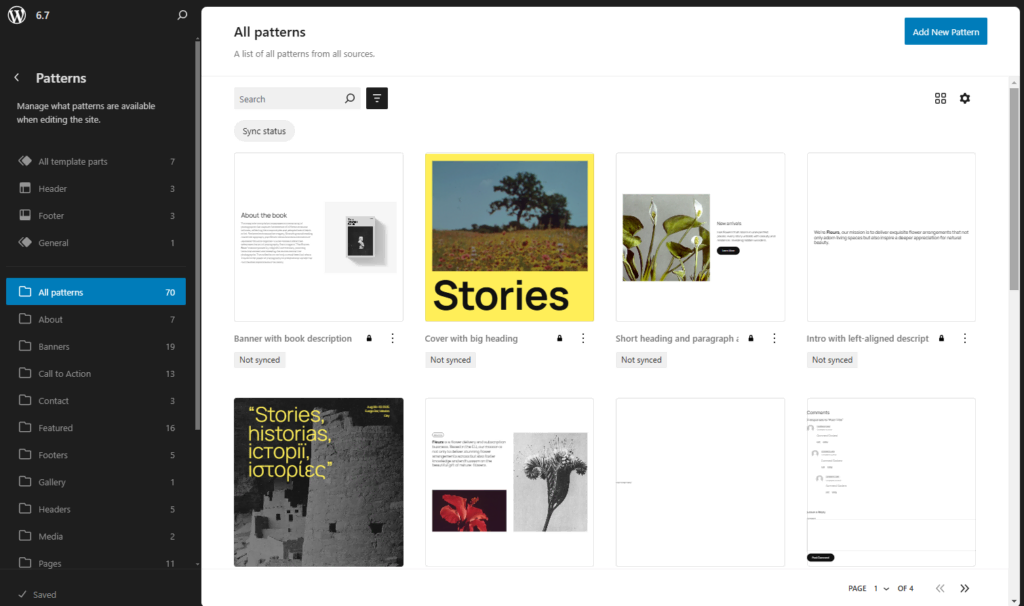
The new theme comes with 70 pre-made patterns to get your creative juices flowing. From call-to-action buttons to full-page patterns, they can be completely modified to suit your needs.
Styles
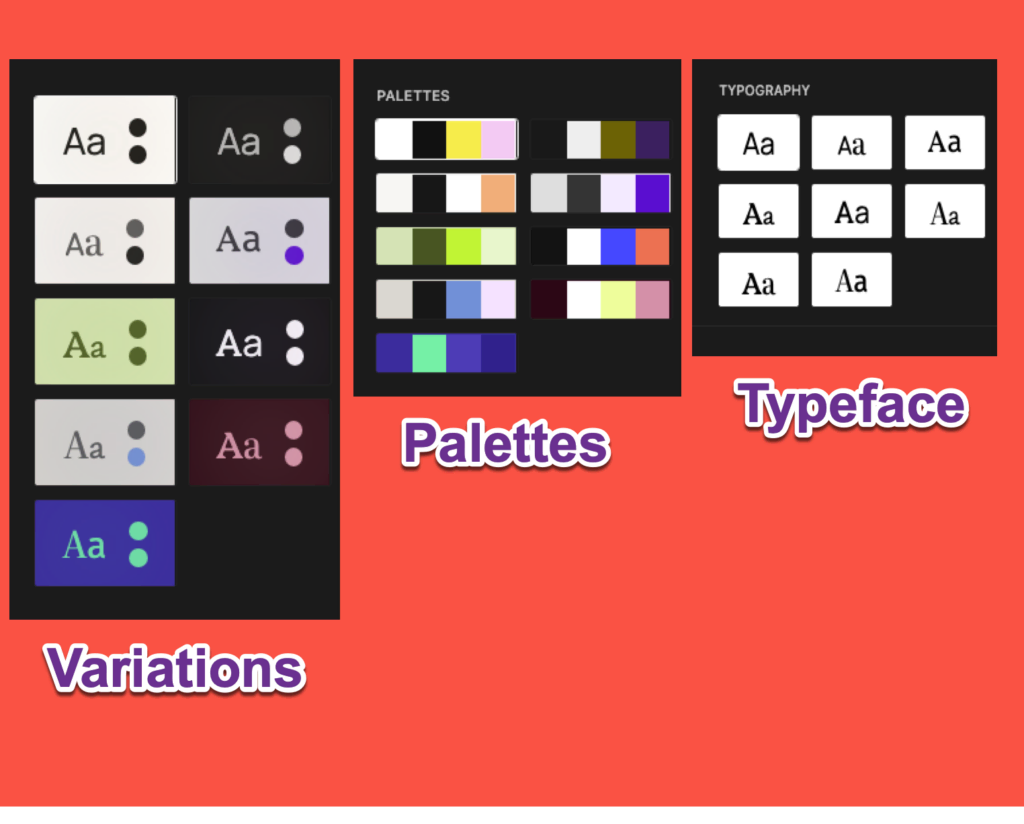
Twenty Twenty-Five has eight style variations in addition to the default style. There are also nine color pallets and eight typography sets that can be mixed and matched to your heart’s delight.
Speaking of typography, there are nine serif and sans serif font families included with this theme, giving you many creative possibilities to express yourself.
As always, you can refine your style preferences globally in the Styles section of the Site Editor (only for block themes) or for an individual block within any page or post.
Templates
The standard templates that you will find in most themes are in Twenty Twenty-Five. Custom templates, as usual, can also be made if needed.
A better editing experience
Whether you’re using a block or classic theme, WordPress 6.7 opens the door to an improved workflow and a more unified editing experience.
However, you can only see and benefit from all these changes if you’re using a block theme. For block theme users, the Site Editor now provides a clearer vision of the future of WP Admin and how it will function.
Zoomed-out pattern view
WordPress 6.7 introduces an improved view when inserting a pattern into a page or post. The pattern choices no longer partially cover the content area.
An easier way to set up your blog archive
This new version of WordPress refreshes the all-important Query Loop block, which organizes a blog archive.
The Query Loop block is a block that contains dynamic blocks such as a post feature image, post title, post excerpt, post author, and any other information related to a post that is pulled from existing content in your database or media library.
Chief among the changes is the removal of the Inherit query from template and Force page reload toggles from the right sidebar settings. They are now the default functions of the block.
The Post List block has been removed from the Inserter as well since it was frequently mistaken for the Query Loop block itself.
For WordPress 6.7, the focus is on making the Query Loop block easier to use and more intuitive. Through subtle changes, the interface has improved significantly. In the right settings sidebar, it is now clear how to choose between posts, pages, and custom post types.
That’s right, you can now set up pages and custom post types – not just blog posts – as an archive. This is not completely new to WordPress, but 6.7 makes it more intuitive through the improved user interface.
Finally, the Query Loop toolbar sports a simpler look. The Display settings have been removed and are now located in the right sidebar.


14 Dec 2024
Get the updates, offers, tips and enhance your page building experience
Up to Top