
Nitish Goswami
Joined - December 2024

Overview
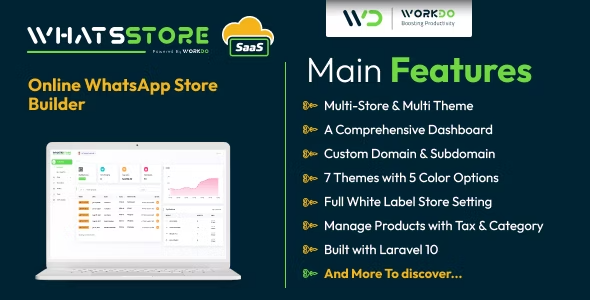
WhatsStore SaaS is here to offer you a seamless transition from the backend of your store to the front end. Create Catalogue and Receive orders on WhatsApp Right from managing the product inventories to fulfilling orders, every aspect of your store could be settled through WhatsStore under one tab. Enjoy a manageable storefront with an easy user interface
What to expect from WhatsStore SaaS – Online WhatsApp Store Builder
Salient Features of WhatsStore SaaS – Online WhatsApp Store Builder The transition from the Front End to the Back End
The effective management of the store always requires a strong back end. Now, it doesn’t matter if that store is online. It still would require an effectively functioning backend for a smooth front-end implementation. While you can manage product inventories and orders from the backend, you can fulfill the orders with an interactive front-end interface.
Dashboard
Since the store operates on two fronts, It would offer 2 dashboards for the effective management of both; the back end and the front end.
Get an overview of total products, sales, and orders along with a list of your top and recent orders here. Also, find the order graph of your past 15 days here.
Get entire store analytics, right from traffic through various browsers, devices, and platforms to your top URLs, and get every insight about your visitors on this dashboard.
Customer Login and Registration
With the help of the customer login and registration module, the customer can only place the order when he/ she has already registered and logged in. This is for the safety and security purposes of the customer as well as the owner due to the authentication of information. Also, the customer can take a look at his/ her previous orders.
Guest Checkout without Register/ Login
The guest checkout feature is a customer-friendly functionality. This means that a customer does not need to register or log in to buy the service or product.
This feature has the advantage of speeding up first-time purchases and reducing account creation friction. From the perspective of the business, this also contributes to an improvement in the customer’s subsequent purchase experience and increases customer retention rates.
Email Notification
A well-organized channel and flow are helpful tools for any organization, which helps in transparency. With the help of the Email Notification module, when an order is being completed/ placed by the customer, an email notification with the order details will be sent to the registered email id of the customer as well as the owner to keep the work streamlined.
Shop Products
You can find all the products of your store here. WhatsStore SaaS allows you to view your products in Grid and list view. Manage every aspect of the product, from its name, price, category, quantity, SKU, product description, and image through this tab. All in all, this tab can help you keep your inventories in the tab.
Product Categories
Create product categories based on your distinctive product portfolio over here.
Product Tax
Create tax applicable to your storefront and assign rates to them over here.
Orders
You can view a summary of each order here. From order details, billing, and shipping information to payment status, get every detail about a particular order number over here. Set the order status and print the receipt from over here.
Get the updates, offers, tips and enhance your page building experience
Up to Top



Comments